











Having a verified 888bet account unlocks everything the platform offers - sports betting, casino games, and crash titles like Aviator. Whether you are signing up for the first time or returning after a break, understanding how the login and registration process works saves you time and helps protect your account. This guide walks through every step, from creating a new account to recovering access when something goes wrong.
Creating a New 888bet Account
Registration is open to residents of Tanzania who are 18+. You will need a working mobile number - this becomes your primary identifier on the platform. Have your phone nearby before you start, because a verification SMS is sent immediately after you submit your details.
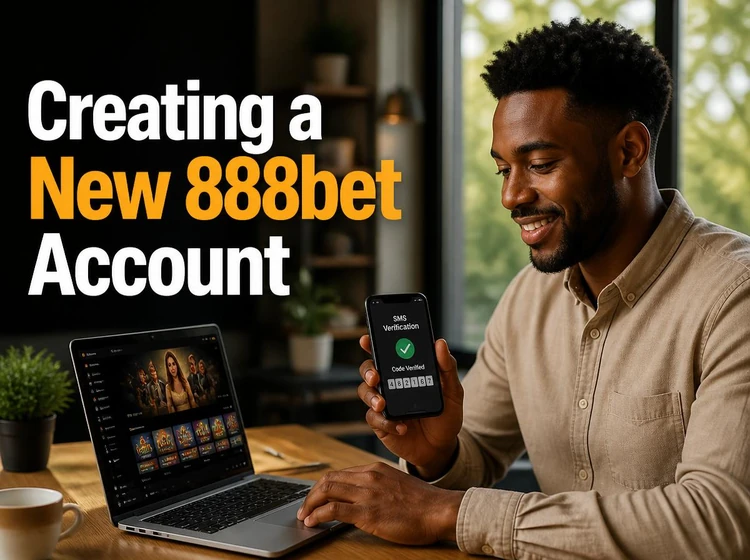
To register, open the official site at 888bets-online.com and tap the sign-up button. Fill in your phone number, choose a strong password of at least eight characters with letters and numbers, and confirm you meet the age requirement. Once you submit the form, enter the code from the SMS you receive. That confirms your number and activates your account. Keep your login credentials somewhere safe; a password manager works well for this.
- Step 1: Open 888bets-online.com and tap the registration button.
- Step 2: Enter your Tanzanian mobile number and create a password.
- Step 3: Accept the terms and confirm you are 18 or older.
- Step 4: Enter the verification code sent to your phone.
- Step 5: Your account is active - log in to complete your profile.
Logging In to Your Account
Once registered, logging in takes only a few seconds. Go to the official website, click the login button at the top of the page, and enter the phone number and password you chose during registration. The session begins immediately. If you are on a personal device, most browsers offer to save your credentials; that is fine as long as you are the only person who uses that device.
On a shared or public device, always type your details manually and make sure you log out when you are done. Saved passwords on shared phones are one of the most common causes of unauthorised account access. If you notice any activity you did not initiate, change your password right away and contact support.
Logging In Through the Mobile App
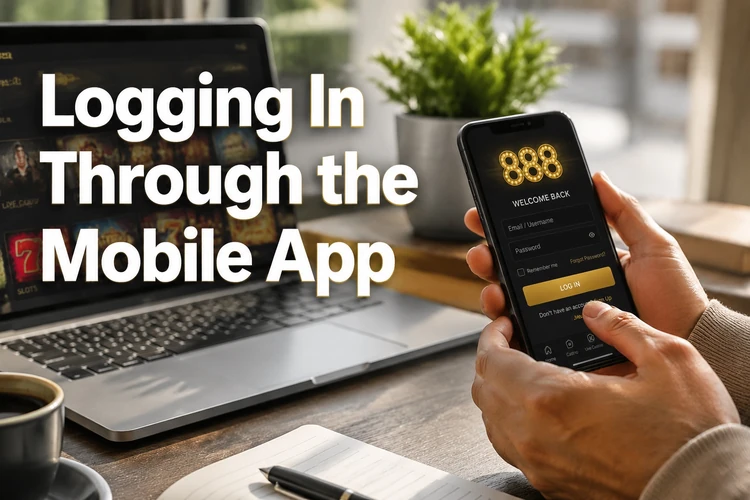
The Android app provides the same account access as the desktop site, often with faster load times on a mobile connection. After downloading the 888bet app, open it and enter your phone number and password exactly as you would on the website. The app can store your session so you do not have to type your details every time, which is convenient when you want to check odds or place a quick bet.
Keep the app updated. Outdated versions can develop login errors or fail to connect to the server after a platform update. If you see an error message when you try to log in, check whether a newer version of the app is available and install it before troubleshooting further.
Resetting a Forgotten Password
Tap the "Forgot password?" link on the login screen. Enter your registered phone number and the platform will send a reset code by SMS. Use that code to set a new password. The new password should be different from the old one and not something you use on other sites, because reusing passwords across multiple services is a significant security risk.
If the SMS does not arrive within a minute or two, check that you entered the correct number, then request the code again. Network delays on some Tanzanian carriers can occasionally cause a short wait. If the code still does not come after a second attempt, contact customer support through the contact page and they can verify your identity another way.
Managing Your Profile Settings
After logging in, your account dashboard lets you update personal information, change your password, manage notification preferences, and review your betting history. To change your password from inside the account, go to the security or account settings section and follow the prompts. You will need to confirm your current password before setting a new one.
If you need to update your registered phone number, contact support directly - this change requires identity verification to prevent someone else from taking over your account. Logging out after each session on a shared device is equally important; look for the sign-out option in the account menu rather than just closing the browser tab.
Playing Aviator After You Log In
Aviator is part of the main 888bet games library and does not require a separate account or a separate login. Once you are signed in, navigate to the casino or games section, find Aviator, and launch it directly. Your account balance carries across all game types - sports, casino, and crash games all draw from the same wallet.
The game runs in both the mobile browser and the app. If you prefer playing on your phone, the Aviator page loads the game in a format optimised for smaller screens. Gameplay and cash-out functions work the same way regardless of whether you are on Android or a desktop browser.
Fixing Common Login Problems
Most login issues have a straightforward fix. The table below lists problems players in Tanzania report most often, along with the likely cause and what to do about it.
| Problem | Likely cause | Fix |
|---|---|---|
| Incorrect password error | Mistyped or forgotten password | Use the password reset option on the login screen |
| Wrong phone number | Digit entered incorrectly | Double-check the number including the country prefix |
| SMS code not received | Carrier delay or wrong number | Wait two minutes, then request a new code |
| Account locked | Too many failed login attempts | Contact support to unlock the account |
| App login error | Outdated app version | Update the app and try again |
| Browser not loading | Cached data conflict | Clear browser cache and cookies, then reload |
| Slow or stalled login | Weak internet connection | Switch between mobile data and Wi-Fi |
A locked account is the one situation you cannot resolve without support. After several consecutive failed login attempts, the system locks access as a fraud prevention measure. Support will ask you to confirm your identity before restoring access, so have your registered phone number and any recent transaction details ready when you reach out.
Keeping Your Account Secure
A strong password is your first line of defence. Avoid using your name, birthday, or simple number sequences. Mix uppercase letters, lowercase letters, and digits, and aim for at least ten characters. Change your password every few months, or immediately after logging in on a device you do not fully trust.

Always access your account through the official domain 888bets-online.com. Phishing sites are designed to look identical to the real thing, so if a link in a message or social post takes you to a login page, verify the address in the browser bar before entering anything. You can also read the responsible gambling page for guidance on managing your account activity safely over the long term.
Quick Login Checklist
- Check that your internet connection is active before opening the site or app.
- Open 888bets-online.com directly and avoid links from unknown sources.
- Confirm your phone number is entered with the correct country code.
- Make sure Caps Lock is off when typing your password.
- If using the app, verify it is the latest available version.
- Clear your browser cache if the login page behaves unexpectedly.
- Log out when you finish, especially on a shared device.
FAQ
Go to 888bets-online.com, click the login button, and enter the phone number and password you used when you registered. If you are using the mobile app, the process is the same.
You need a valid Tanzanian mobile number and must be at least 18 years old. During registration you will create a password and confirm your number with an SMS verification code.
Tap the "Forgot password?" link on the login screen, enter your registered phone number, and wait for the SMS reset code. Use that code to choose a new password.
Yes. Aviator uses the same account as other games on the platform. Log in once and open the game from the casino or games section; no separate registration is needed.
Account locks usually happen after multiple failed login attempts. Contact customer support, confirm your identity, and have your registered phone number ready to speed up the process.
It is safe if you use the official site or app, keep your password private, and log out after each session on a shared device. Check the browser address before entering your details.