











The 888bet mobile application provides a dedicated platform for users in Tanzania who prefer using a smartphone. It gives access to sports markets, account management, and live betting without requiring a browser for every session. Android users can install the APK and use the main features available through the website.
This guide covers the download process, installation steps, app features, and practical Android requirements. It also explains how to check permissions, update the application, and choose between the APK and the mobile website.
888bet App Overview
The mobile application presents the core functions of the website in a layout designed for smaller screens. Its interface focuses on navigation between sports categories, upcoming events, live markets, and the betting slip.
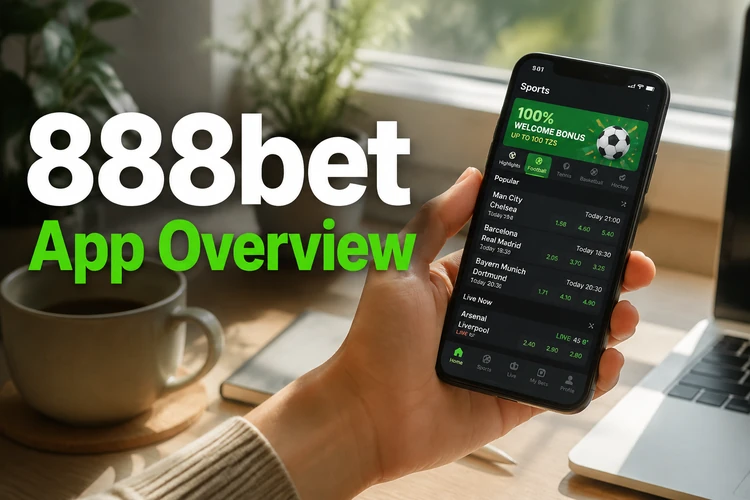
The home screen highlights current and upcoming events, while the menu provides access to profile settings, transaction records, and available support options. Market names, odds, and event start times should be checked carefully before adding a selection to the betting slip.
Once signed in, you can place bets, check open selections, monitor settled results, and review your balance. Notifications may provide account or event updates when enabled. Because odds and live markets change in real time, the app requires a stable internet connection to display current information and submit bets.
How to Download 888bet App
The Android application is provided as an APK file. Use the official source indicated by 888bet rather than an unrelated download directory, and check that the page is using a secure connection before saving any installation file.
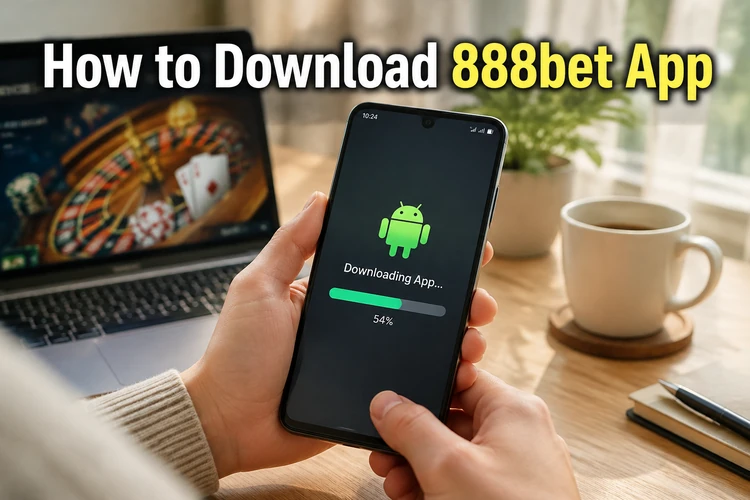
Before downloading, check the Android version in the device settings and confirm that enough storage is available for both the file and the installed application. A reliable Wi-Fi connection can help prevent an incomplete download, although mobile data also works if your allowance is sufficient.
- Open the official website in the browser on your Android phone.
- Find the Android download option in the mobile section.
- Review the displayed version information and device requirements.
- Tap the download control and wait for the APK to finish saving.
- Open the Downloads folder and confirm that the file is complete before installation.
If the browser warns that APK files can be harmful, do not ignore the warning automatically. Confirm that you started the download from the intended source and cancel it if the address, filename, or request looks unfamiliar.
How to Install APK
Installing an APK may require permission for the browser or file manager that opens it. On many Android devices, this setting appears under Security, Privacy, or Special app access. The exact menu name varies by manufacturer and Android version.
- Open the completed APK from the Downloads folder.
- If prompted, open the setting labelled "Install unknown apps" and allow the current browser or file manager to install this file.
- Return to the installer and review the permissions shown by Android.
- Tap "Install" and wait for the process to finish.
- Tap "Open" or locate the 888bet icon in the app drawer.
- Enter your existing account details through the secure login page when required.
After installation, disable the unknown-app permission again if you do not normally install APK files. This reduces the chance of another downloaded file being installed accidentally. Do not proceed if Android reports a blocked, corrupted, or incompatible package; delete it and obtain a fresh copy from the original source.
Features of the Mobile App
The app stores some interface elements locally, which can make routine navigation feel more responsive than repeatedly loading the mobile website. Actual speed still depends on the device, network quality, and the number of live markets being updated.
The betting slip shows selections before submission and supports the bet types available for the chosen markets. Always review the stake, current odds, and potential return before confirming. If the odds change, the app may ask you to accept the new value rather than submitting the bet at the earlier price.
Account tools can include balance information, transaction history, profile controls, and deposit or withdrawal options available to the user. Notifications can be adjusted in the application and Android settings. Use a private screen lock, avoid saving credentials on a shared phone, and sign out when another person can access the device.
Android Compatibility
The draft release information identifies Android 5.0 or later as the baseline requirement, but requirements can change with later versions. Check the current download page before installation, particularly when using an older phone. Available storage, memory, screen resolution, and system updates can also affect performance.
The interface adapts to common phone and tablet screen sizes. Newer devices generally handle live updates and page transitions more smoothly, while older models may benefit from closing unused apps and keeping sufficient free storage. A weak connection can delay odds updates even when the device itself is compatible.
When an update is offered, download the latest APK from the same trusted source and install it over the existing application. Account information is linked to your profile rather than the installation file, but it is still sensible to remember your login details before updating. Do not uninstall the current version unless the update instructions require it.
APK vs Mobile Website
The APK and the mobile website provide access to the same type of account and betting functions, but they differ in how they are maintained. The app is installed on the device and may offer quicker access from the home screen, while the website runs directly in a compatible browser.

| Consideration | APK application | Mobile website |
|---|---|---|
| Installation | Requires a downloaded file and Android permission | Opens without installation |
| Updates | May require a new APK | Applied automatically by the site |
| Storage | Uses device storage | Uses browser cache only |
| Access | Home-screen or app-drawer icon | Browser tab or bookmark |
The website is convenient on shared or low-storage devices because it leaves no installed application behind, although you should still sign out and clear saved credentials. The APK suits users who want a dedicated interface and regular home-screen access. Both options need an internet connection, and neither can prevent delays caused by poor mobile coverage.
Frequently Asked Questions
Open the official website on your Android device, find the mobile download option, and save the APK. Confirm the source and file details before opening it, then allow installation for the browser or file manager only when Android requests permission.
An APK should only be installed when it comes from the intended official source and the download address is correct. Avoid third-party file repositories because their copies may be outdated or modified. Stop if Android reports a corrupted or blocked package.
Yes. When a newer version is available, download the current APK from the same trusted source and install it over the existing application. Check any displayed update instructions first, and do not uninstall the current version unless necessary.
You can normally download and install the file before signing in. An account is required to place bets, manage funds, and view personal betting history. Keep your login details private and avoid saving them on a shared device.
The release information in this guide lists Android 5.0 or later, but requirements can change. Check the current download page and your phone's Android version before installing, especially if you use an older device.
There is no separate fee for downloading the APK. Your mobile network may still charge for the data used to download, update, and operate the app, so check your data allowance or use a trusted Wi-Fi connection.